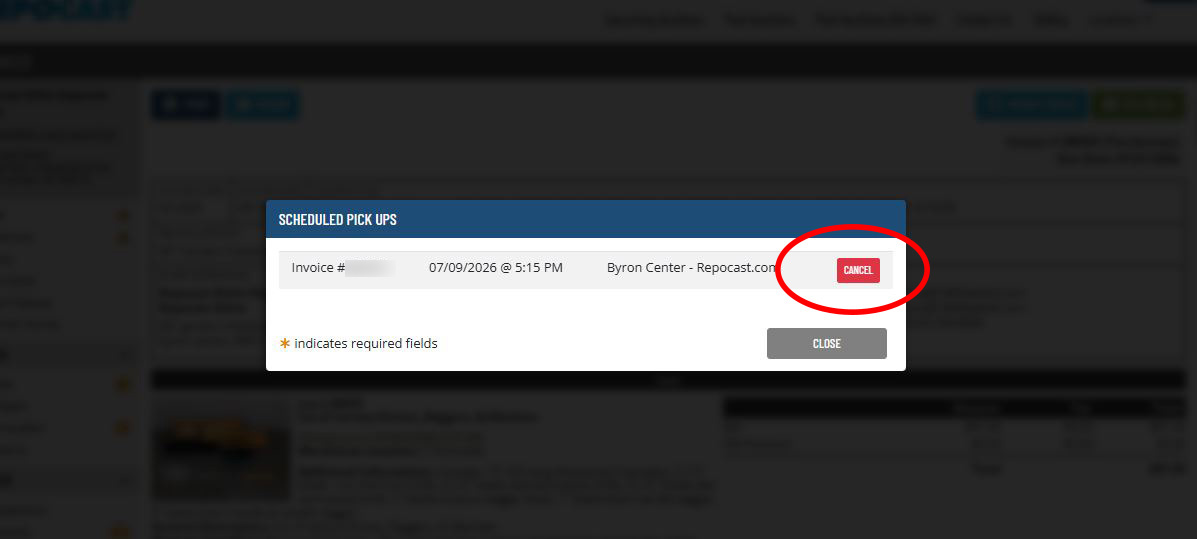
How to Schedule a Pickup Appointment
This option is available only at our Byron Center location.
We appreciate your business with Repocast.com, Inc. and to better serve our customers we now offer the option to schedule a pickup time. To Schedule pickup appointment, follow these easy steps:
Step 1
After you log in, select your account in the top right, then select “Invoices”
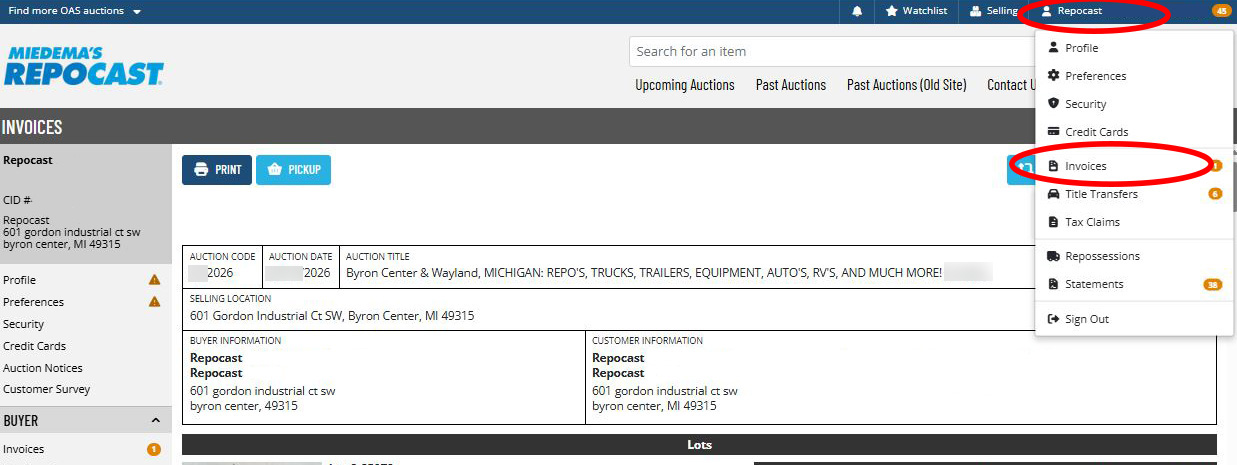
Step 2
Click “View” on the invoice you want to schedule
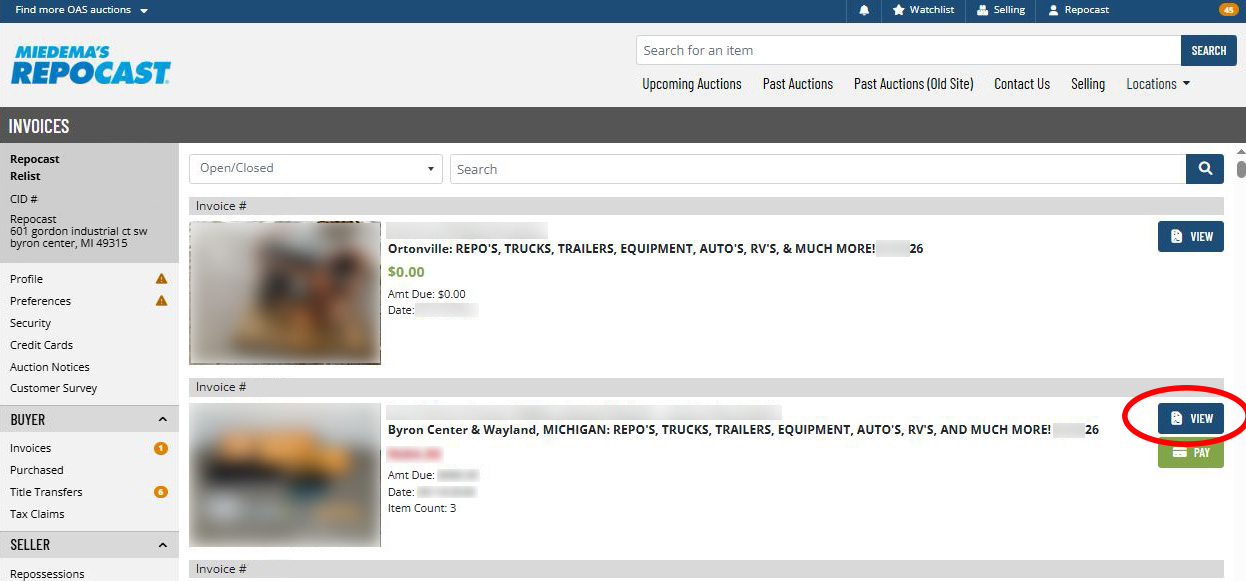
Step 3
Select “Pickup”
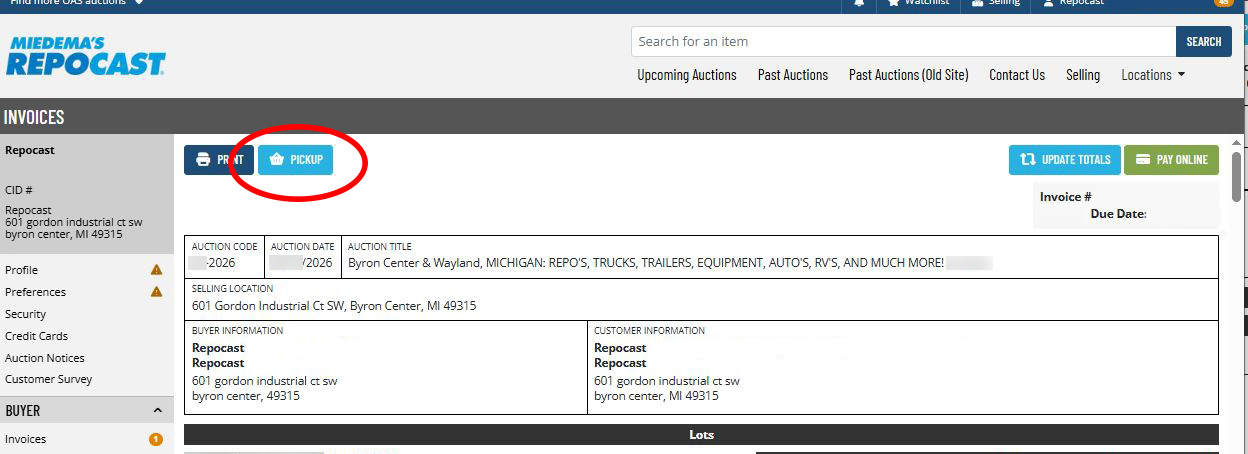
Step 4
Choose your pickup date and click schedule on your desired time
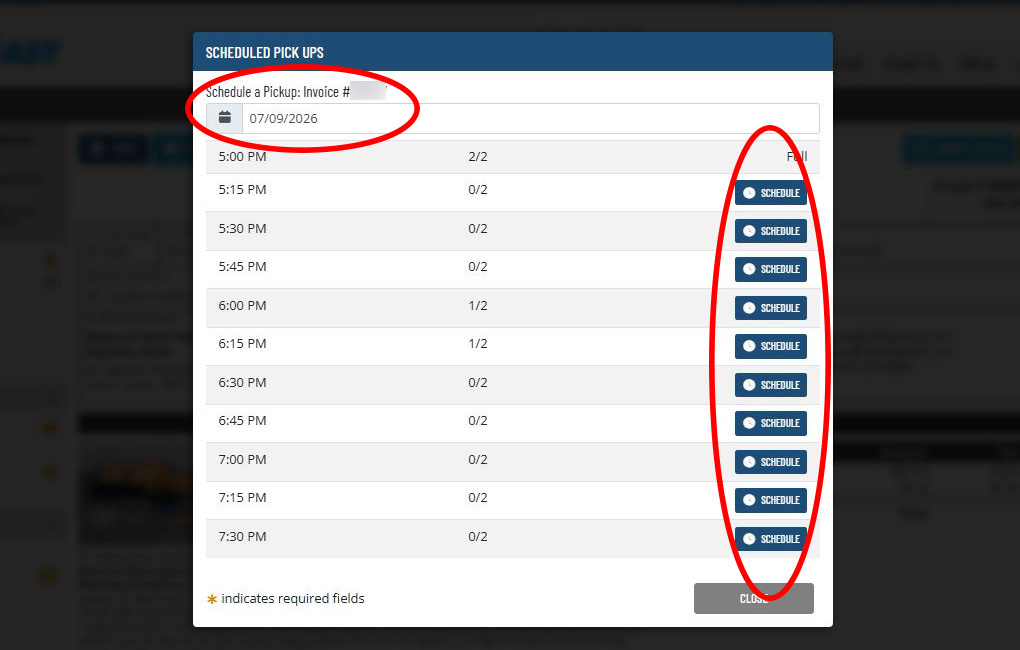
Step 5
If you need to cancel, push the cancel button on that time